
Issue course certificates from completed work
Tie a branded PDF certificate to required course work, prepare its design and let students download it when they finish.
A student finishes the last assessment. You should be able to record that result and give them their certificate without copying their name into another document.
Taskpipe can prepare a PDF certificate when the student completes the required course work. You choose the requirements and design in advance. The completed course record gives the certificate its basis.
Decide what earns the certificate
For a photography course, the requirements might be a passing quiz result, a five-photo story and a final portfolio approved by the teacher. Reference sheets and extra examples can remain optional.
Use modules and required work to define that path. A task that needs approval must be reviewed before it is complete. A scored quiz with written answers needs teacher marks. These choices determine when the student reaches course completion.
Enable certificates before students finish. Turning the feature on later does not issue certificates for earlier completions. A course default is copied to new cohorts and evergreen offers; check the setting on an offer that already exists.
Make the document your own
The certificate design can include the student's name, course name, completion date, school name and certificate number. Add your own text and a typed or drawn signature, then move and resize the fields.
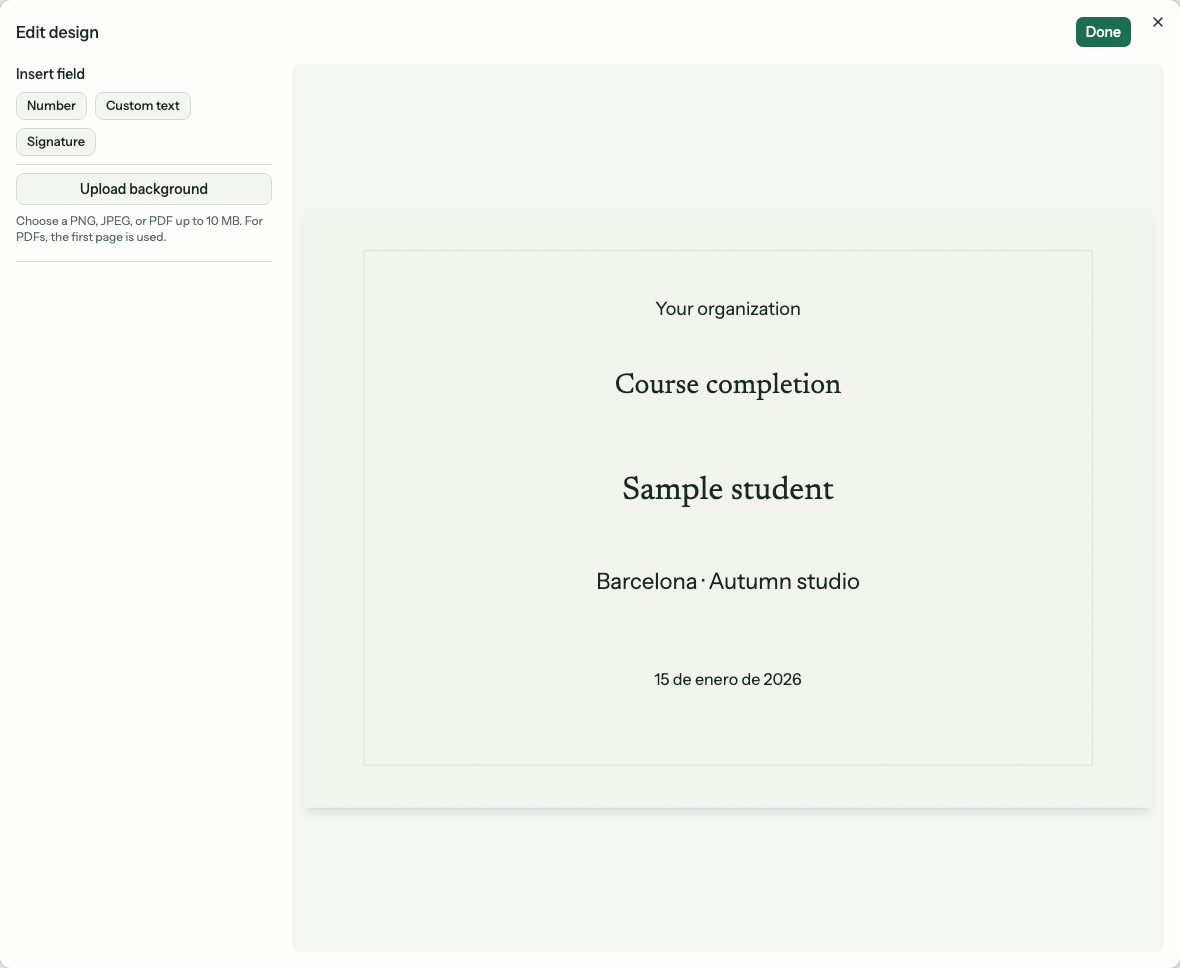
Place the student’s name, course title and completion date in the certificate design.
You can also use a PNG, JPEG or PDF background. For a PDF, Taskpipe uses the first page. That lets you start with a design you already use and place the student details over it.
Leave enough room for a long name and course title. Check a sample certificate before saving. The preview can show unsaved changes, so save the design you want students to receive.
A cohort or evergreen offer can use the course design or have its own. You could use one design for your main photography course and another for a specialist portrait workshop.
Let the student collect the finished PDF
The student's course overview shows their certificate after completion. They may need to confirm their name before the PDF can be prepared. Staff can also find the document in the student's course record.
If preparation fails, the certificate panel lets you retry. The student's recorded completion is kept while the document is prepared.
Keep earned certificates stable
An earned certificate keeps its saved student name, course title, completion date and design. Changing the current design does not rewrite certificates already earned.
Students can still download an earned certificate after their course access ends. Turning off automatic certificates also keeps existing certificates available.
Follow the certificate setup guide to prepare the design and check the settings. If the final assessment uses a quiz, the quiz guide explains how passing rules and teacher review fit together.