
Build reusable quizzes with passing rules and teacher feedback
Keep questions in one library, reuse them across courses and choose how students pass, retry and receive feedback in Taskpipe.
A question about light can belong in a beginner photography course, a portrait workshop and a final assessment. You should be able to reuse the question while setting different rules for each course.
Taskpipe separates your quiz questions from the rules for taking them. Keep the questions in a library, publish a version and use it in the courses that need it. Each use has its own passing rule, attempt limit and feedback timing.
Use the same questions for different purposes
Imagine a quiz with ten questions about light and composition. In a beginner course, you might show every question, allow unlimited attempts and release feedback straight away. Students can use it to check what they have understood before taking more photographs.
For an assessment, you could draw five questions at random, require four correct answers and allow two attempts. Taskpipe supports a passing percentage or a minimum number of correct answers. It can also require students to answer every question without setting a score to pass.
Choose the rule for the job the quiz does. A practice check and a final assessment can use the same question library without asking the same thing of the student.
Combine choice questions with written answers
Choice questions let you check a specific answer. A written question lets a student explain a decision: why would they move a subject away from direct sunlight, or change the camera position?
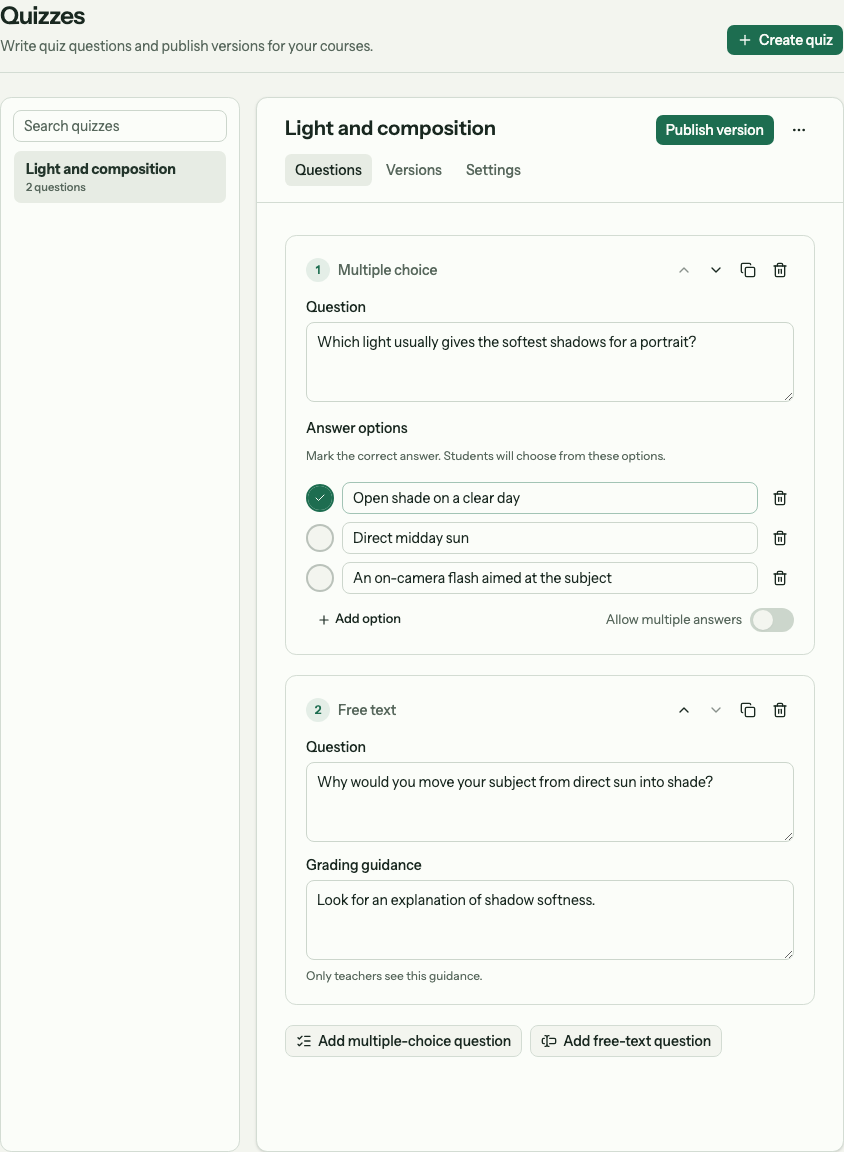
Choice questions and written answers can sit in the same quiz.
Taskpipe marks choice answers against the answers you set. Written answers that count towards a score need teacher marks. You can read the response, mark it correct or incorrect and add feedback. Marks save while you work; the review must also be finished before it counts as a completed review.
Feedback can appear immediately, after grading or at a set time. A passing result and permission to continue are separate: dates and teacher approval can still hold the next step.
Improve a quiz without rewriting past attempts
Publish another version when you change the questions. Courses keep the version selected for them until you change it, and existing attempts keep their original questions. That gives you room to improve a quiz while keeping a clear record of what each student answered.
Attempt limits also leave room for individual help. If a student has used their attempts, staff can grant that student one more attempt from their course record.
Start with the quiz setup and grading guide. To make a quiz part of a larger course path, read how modules and required work fit together.