
Write a clear course page
Help future students choose your course by explaining what they will make, what support they will get and what they need before joining.
Before someone joins your course, they need to know whether it fits their goals, their time and their level. Your course page should give them enough detail to make that choice.
Here we use the sample photography course at Hawkings Academy to show what to include. You can follow the same steps for a coaching programme, a studio course or a practical workshop.
Start with what students will make
Write the result of the course in a sentence. In our example, students make a five-photo story and a 30-second film, with a personal review of their work. That gives someone a concrete result to picture before they read the lesson list.
Then explain who the course is for. Say what students should already know and what equipment they need. If a phone is enough, say so. If your lessons depend on camera controls or editing software, name those needs before people enrol.
In the course page editor, use Course description to bring these details together. Keep the opening short enough to read on a phone.
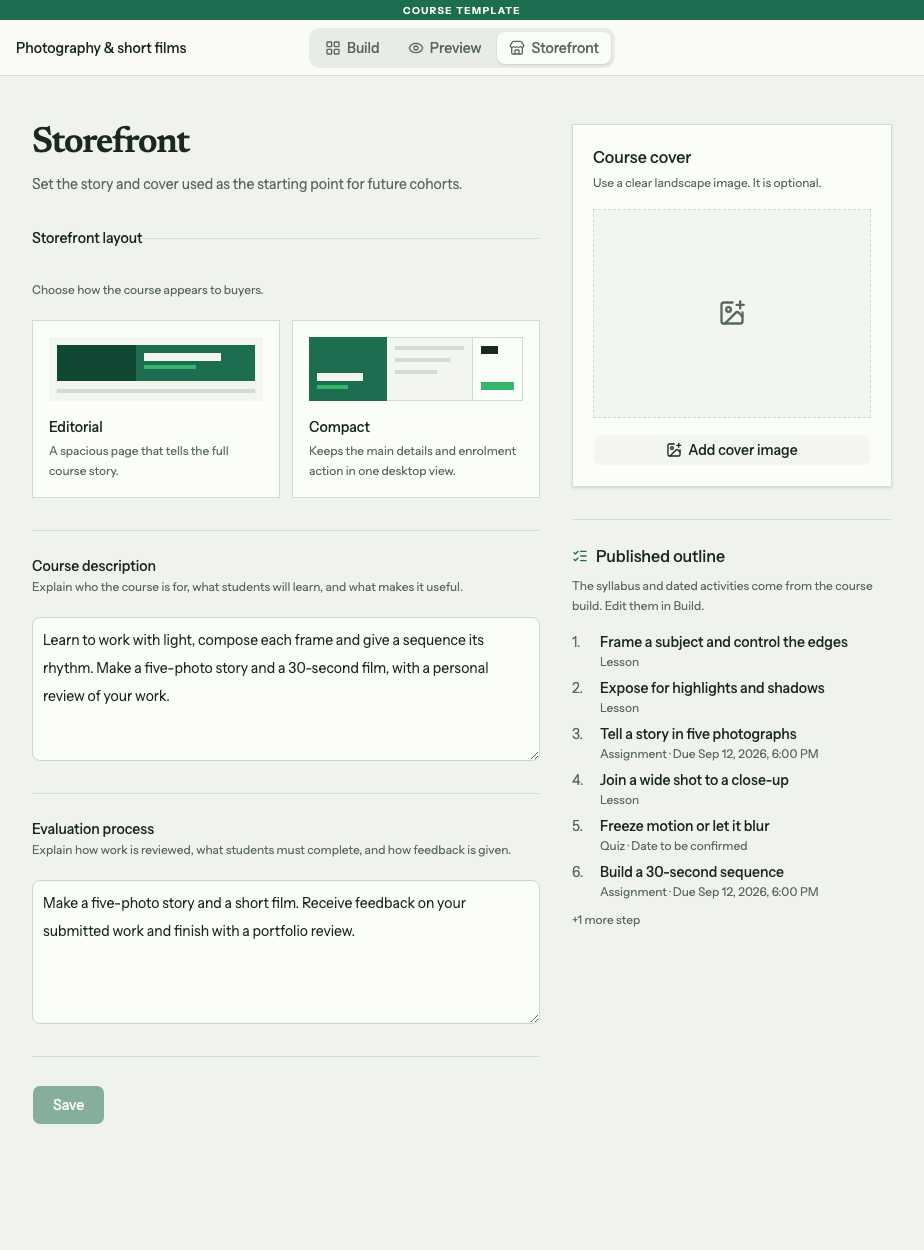
The sample description names the work students will make. Evaluation process explains how that work will be reviewed.
Explain the support you will provide
Use Evaluation process to describe what students submit and how you respond. The sample course asks for a photo story and a short film, gives feedback on submitted work and finishes with a portfolio review.
Be clear about what your offer includes. A written response to one assignment and a private review call need different amounts of your time. Choose what you can provide for every student, then describe it on the page.
If students need your approval before continuing, tell them when they can expect a review. Choose a review schedule you can keep. The practice and feedback guide explains how approval steps work.
Make the time commitment clear
Think through a student's week. Allow time to read or watch the lesson, practise, prepare a submission and act on feedback. Give an honest estimate based on the tasks you have set.
Separate work students can do in their own time from sessions they must attend. For live sessions, state the time zone. For teaching in person, check the venue and what students should bring.
Keep the group's public dates separate from task deadlines. In Taskpipe, public dates do not open lessons or set submission deadlines. The course groups guide explains where to set each one.
Read the page as a future student
Open the public page for the group you plan to share. Compare its description with the lesson outline, dates, location and price.
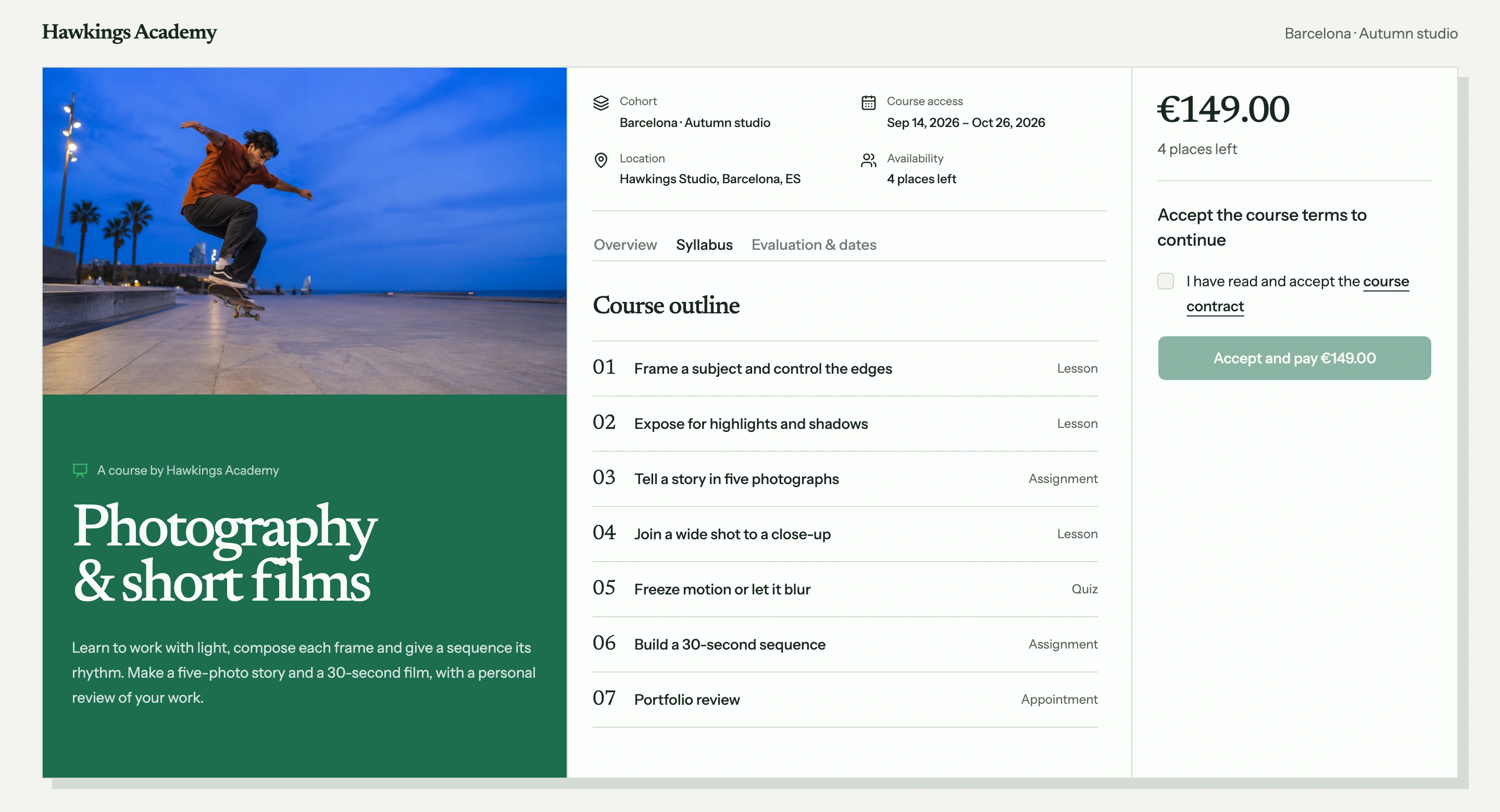
The sample Autumn studio page puts the course outline beside the group details and price. Check that they all describe the same offer.
Before sharing the link, ask someone unfamiliar with your course to answer four questions from the page:
- Is this course right for my level?
- What will I make or be able to do?
- What time, equipment and payment does it need?
- What help will I get with my work?
Use any unanswered question to improve the page. If you still need to build the course itself, follow the first course guide.